
How to connect your website with Lienks.
Add your website, embed a small script, and check out your first pageviews.
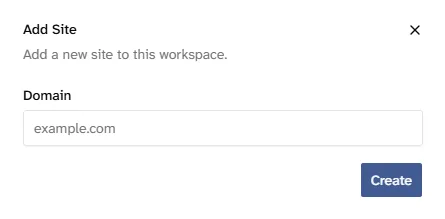
Add your website
Create a site in Lienks by entering its domain. That’s all you need to get your snippet.
Install the script
Copy the snippet from your site settings and add it inside the <head> of your website. If your site uses a shared layout or has a setting for header code, you only need to add it once.
<script
  src="https://app.lienks.com/analytics.js"
  data-site="YOUR_SITE_ID"
></script>
Example snippet. Your site settings contain the code with your own site ID.
See your first data
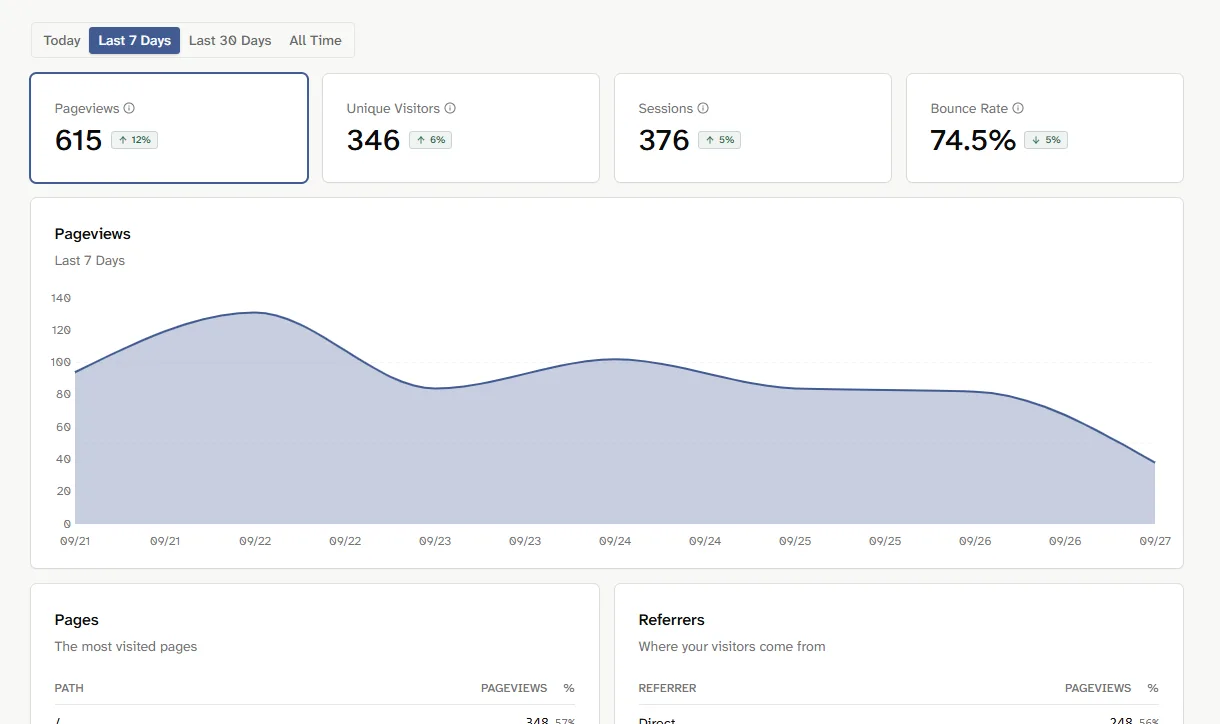
Publish the change and visit your website. Then open Lienks to check your first pageview. As more people visit, you’ll see how many visitors you have, which pages they view, and where they come from.
Want to measure a specific action?
Pageviews work as soon as the script is installed. To measure something like a signup button click, you can send a custom event when it happens:
window.lienks.event('homepage_hero_cta_clicked');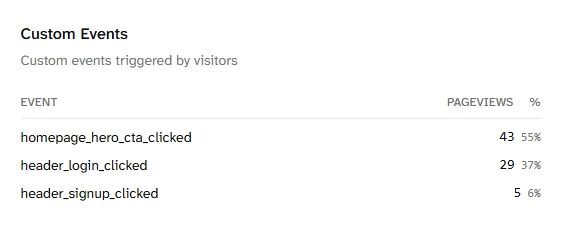
Ready to see what's happening on your websites?
Try Lienks free for 30 days. No payment method required.
Try Lienks for free