
Cookieless Web Analytics
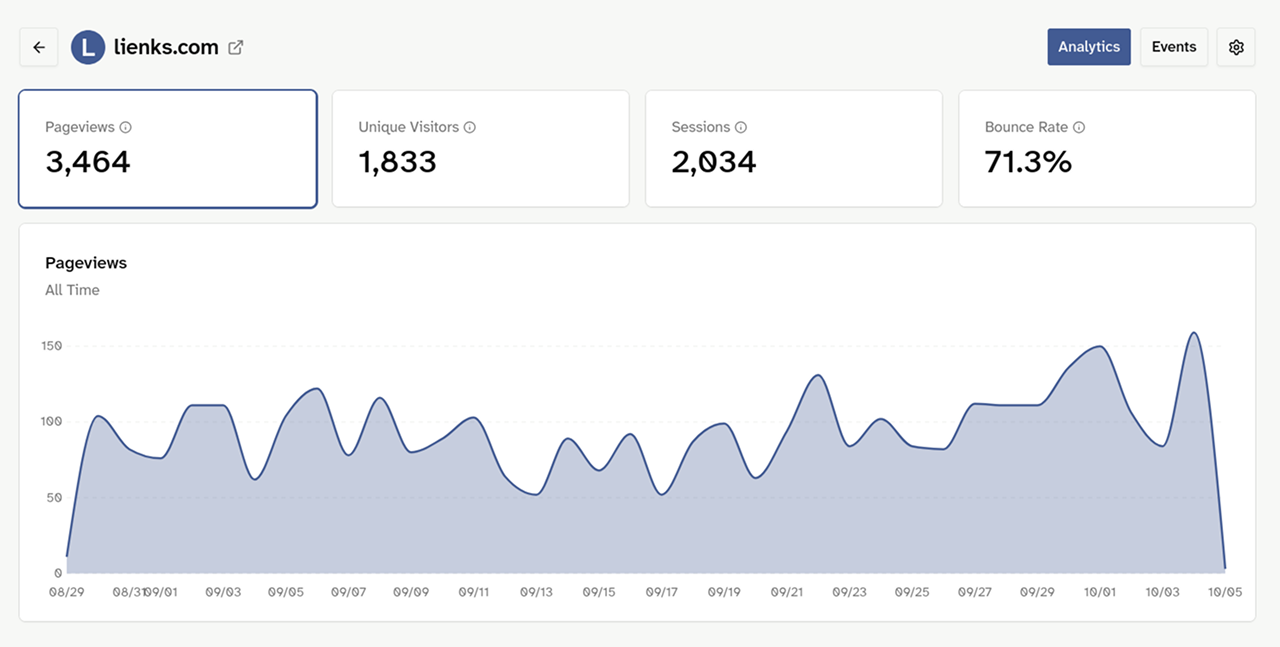
Web analytics without cookies: see where your visitors come from and what they do on your website, without storing anything in their browser. How precisely Lienks counts visitors is up to you.
The problem with classic tracking
Many analytics tools set cookies to recognize visitors. That usually requires consent, which means a cookie banner.
This has downsides. Your visitors have to click through a banner before they see your page. And anyone who declines does not show up in your statistics at all. So you only see part of your visitors.
Then there is the effort on your side: the banner has to be set up, the texts maintained and the privacy policy updated. And every additional script can make your website a little slower.
Most of the time, you just want to answer a few simple questions: How many people were there, where did they come from and which pages did they look at?
If you are using Google Analytics right now, here is what switching to Lienks looks like.
What does cookieless mean?
With Lienks, cookieless means: the script stores nothing on your visitors' devices. It sets no cookies and does not use localStorage either. It only sends the page view to Lienks.
This matters, because "without cookies" does not automatically mean that nothing happens on the device. Some tools store an ID in localStorage instead of a cookie, or deliberately read properties of the device to recognize it. For consent, this often makes no legal difference. I explain more in my article Do I need a cookie banner for web analytics?
Even so, with cookieless tracking you see everything you need for most websites:
- Page views and visitors
- Sources, meaning where your visitors come from
- your most visited pages
- Countries, devices and browsers, if you turn them on
- custom events, for example clicks on a button or submitted forms
Three modes, you decide
Not every website needs the same data. That is why Lienks offers three modes, from no visitor recognition at all to a cookie with consent.
Cookieless
Lienks recognizes visitors within a single day, without storing anything in their browser. To do this, a temporary visitor ID is generated that changes every day.
Minimal fits if page views and events are enough for you and you want to process as little data as possible. Lienks does not try to recognize visitors at all.
Cookieless is the default and is enough for most websites. You see how many different visitors were there on a given day, without anything being stored on their device.
Cookie is meant for websites that already have a consent banner. After consent, Lienks counts visitors a little more precisely within a day. Without consent, Lienks counts as in Cookieless mode.
You set the mode for each website individually. You can change it at any time in the settings.
How Lienks counts visitors without cookies
In cookieless mode, Lienks still knows how many different visitors were there on a given day. To do this, the server creates a visitor ID from the website, the IP address, the browser and a secret daily key.

Only this visitor ID is stored, the IP address does not end up in the analytics data. If you enable countries, only the country code remains, for example "DE". This way, Lienks counts visitors within a single day but does not follow them across several days. And on two different websites, the same person has two different visitor IDs.
This is intentional. Lienks is meant to show you what happens on your website, not who exactly is there.
How accurate is tracking without cookies?
In cookieless mode, counting does not depend on whether someone accepts a cookie banner. Visitors who would decline a banner are therefore not missing from your statistics.
Lienks counts page views and events the same way in all three modes. As with any analytics script, ad blockers can block individual requests.
For visitors, there is a small difference compared to cookie mode: if someone switches from Wi-Fi to mobile data during the day, for example, their IP address changes. In cookieless mode, Lienks then counts them twice, with a cookie only once.
What you do not see without cookies: whether someone comes back on another day. With Lienks, though, this applies to all modes, even with a cookie, because the cookie expires after 24 hours.
Installation
Add this script to the <head> of your website. Nothing more is needed.
<script defer src="https://app.lienks.com/a.js" data-site="YOUR-SITE-ID"></script>If you want to measure clicks or forms, you can also send custom events, for example for a newsletter signup or a click on "Buy now". They work in all three modes. You can see how this works under How it works.
Try Lienks for freeFAQ
Usually not for Lienks itself. In Minimal and Cookieless mode, Lienks stores nothing on your visitors' devices. In Cookie mode, however, you need consent. And other services on your website, for example embedded videos, maps or advertising pixels, may still require a banner. This is not legal advice. You can find more in my article Do I need a cookie banner for web analytics?
Going without cookies solves an important part, but not everything. Even without cookies, every browser sends its IP address, and that is generally considered personal data. Under the GDPR, you need a legal basis for this, for example a legitimate interest, and a note in your privacy policy. Lienks does not store the IP address in the analytics data and hosts all data in Germany. Whether that is enough for your website is something you should have checked if in doubt. I have summarized what else belongs to it on the page GDPR-compliant web analytics.
Not quite. Cookieless means that nothing is stored on your visitors' devices. Anonymous means that data can no longer be linked to a person. Lienks does not store IP addresses or permanent identifiers. However, the daily visitor ID is a pseudonymous identifier and not anonymization in the legal sense.
A visitor ID is created from the website, the IP address, the browser and a key that changes daily. That is why Lienks only recognizes visitors within a single day, and the IP address is not stored.
Lienks counts page views and events the same way in every mode. Only in cookieless mode can a visitor be counted twice if their IP address changes on the same day, for example when switching from Wi-Fi to mobile data.
Yes. With custom events you can measure clicks on buttons or submitted forms, for example. This works in all three modes.
Yes, you can change the mode for each website in the settings.
Yes. On every plan you can add as many websites as you like and choose the mode for each one individually.
On servers at Hetzner in Germany.
Ready to see what's happening on your websites?
Try Lienks free for 30 days. No payment method required.
Try Lienks for free